
New Your agents can now ask each other

Leave your desk.
Stay at the helm.

Styrman puts Claude Code, Codex and Antigravity in your pocket. See which agent needs you, approve the command it's waiting on, and send the next prompt, while the work keeps running on your Mac.

iPhone app on TestFlight soon · Android from source

  • Free
  • Open source
  • No account
  • Your own tailnet
Works with
  • ✳Claude Code
  • </>Codex CLI
  • ⚛Antigravity
  • cmux
  • Tailscale
  • Homebrew

From terminal to pocket

Every agent, one list

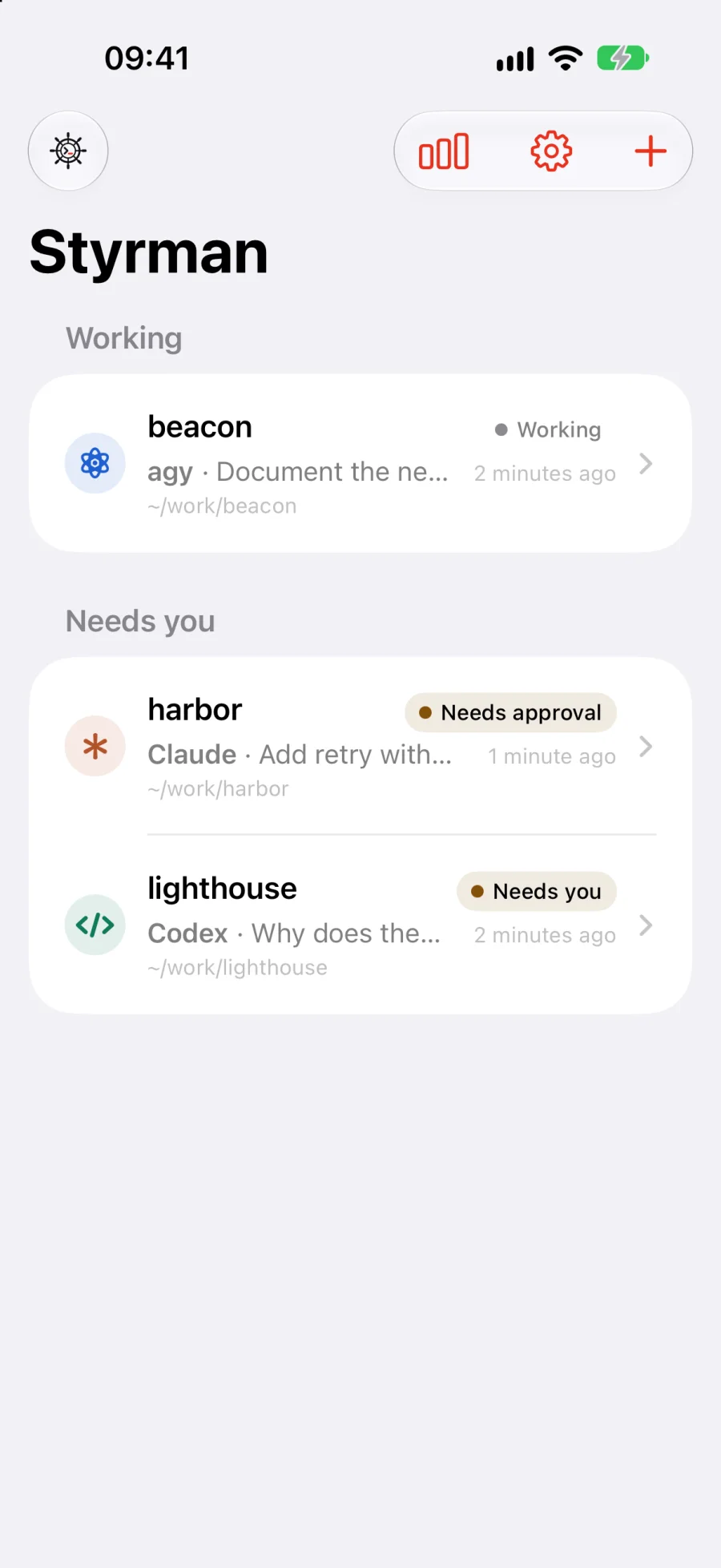
Type /styr in any session to share it. Styrman follows it from then on: what it's doing, what it changed, and the moment it needs you. Each agent keeps its colour, and whatever needs you rises to the top.

cmux
beacon · agyharbor · claudelighthouse · codex

~/work/beacon $ agy

⚛ /styr

Styrman: shared with your phone.

⚛ Document the new --offline flag

editing README.md…

The Styrman app's session list: agy working in beacon, Claude in harbor waiting for an approval, Codex in lighthouse waiting for a reply.
The session list · working first, then what needs you

Features

Everything you'd get up for,
without getting up

Agent to agent

Let your agents consult each other

Ask Claude to get a second opinion from Codex. It sends the question with styr ask, Codex answers in its own session, and the reply comes back to Claude. You follow both sides on your phone.

$ styr ask codex "Is backoff capped?"

Agents only do this when you ask them to. Approvals stay exactly where they were.
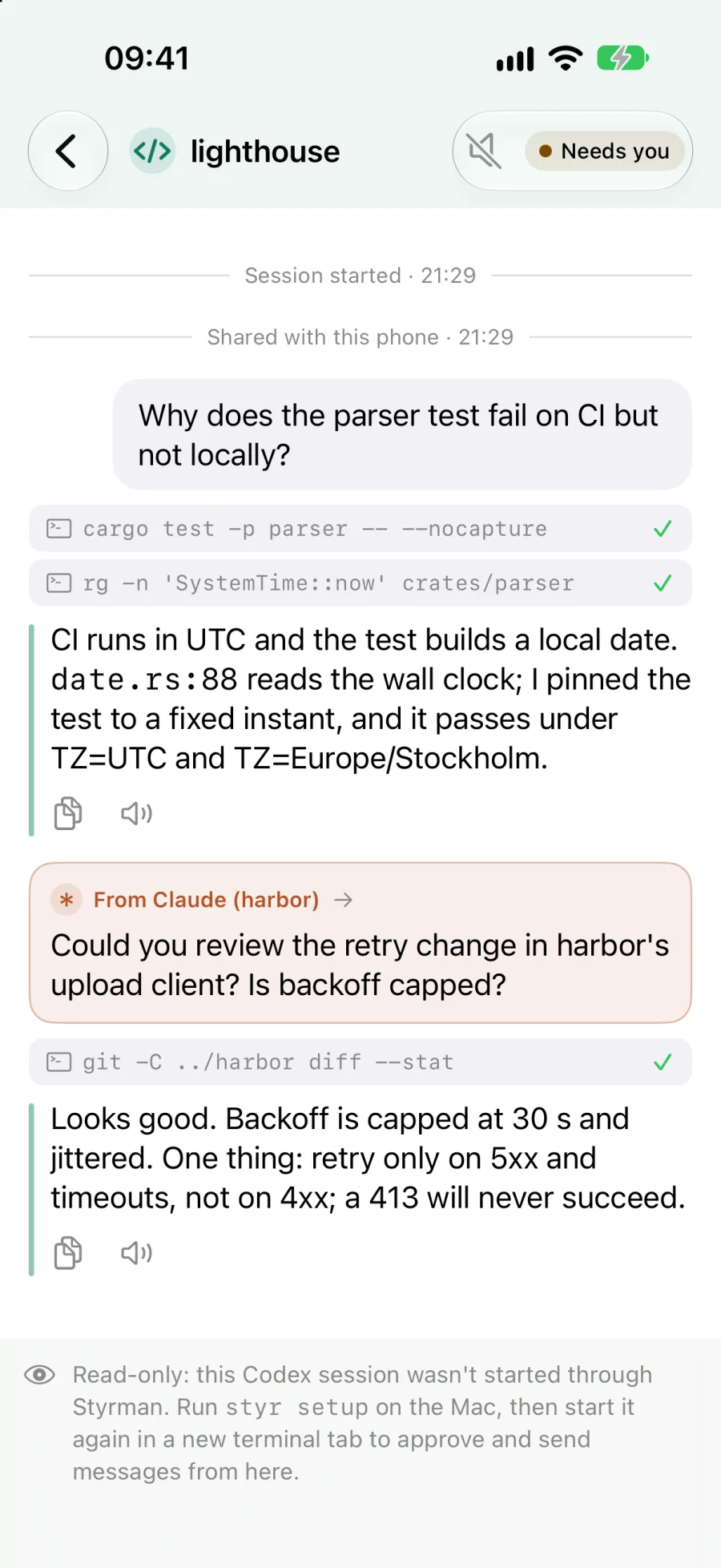
Codex's session on the phone: a message from Claude asking for a review, and Codex's answer.

Approvals

Approve the exact command

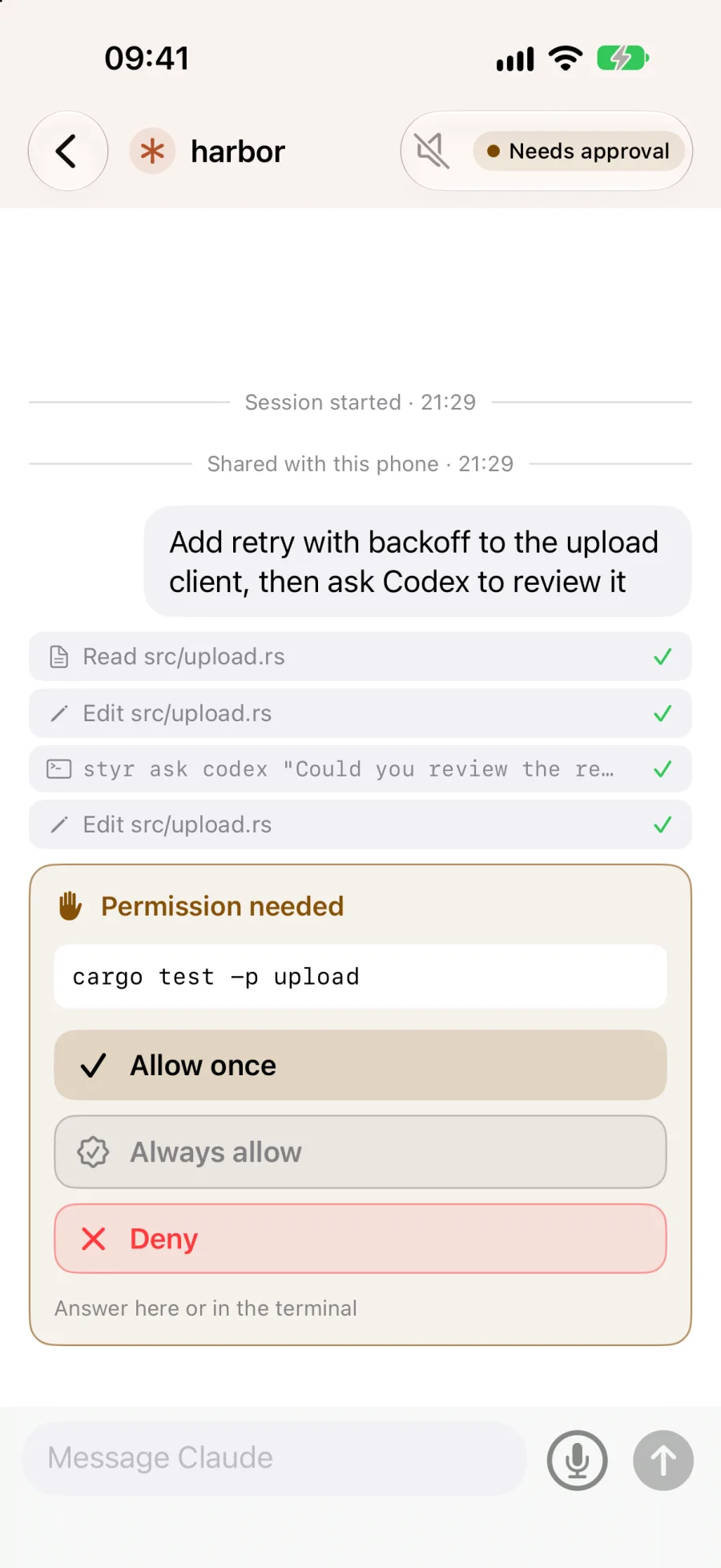
The card shows what the agent will run, word for word. Allow once, always, or deny, from the phone or the terminal, whichever is closer.

Permission needed

cargo test -p upload
✓ Allow onceAlways allowDeny

At a glance

See what needs you

Working, waiting for you, or done. A notification when it changes, and nothing from the code in it.

  • ✳harborNeeds approval
  • </>lighthouseNeeds you
  • ⚛beaconWorking

Voice

Talk or listen

Dictate the next prompt on a walk, and have replies read aloud. Each agent speaks with its own voice.

“Looks good. Backoff is capped at 30 seconds and jittered.”

Start anywhere

Start a session from your phone

Pick an agent and a folder on your Mac, or make a new one. It opens in a new cmux tab, already shared with you.

ClaudeCodexagy

▣harbor ⎇ main

✓lighthouse ⎇ fix-tz

+New folder…

Usage

Check your headroom

With Karv on your Mac, see how much of each plan's window is left and when it resets.

42%Claude
63%Codex
18%Gemini

How it works

Three minutes to set up

A small service runs on your Mac and listens to your agents' hooks. Your phone talks to it directly, over your own Tailscale network.

  1. 1

    Install on your Mac

    Apple Silicon, with Homebrew.

    brew install christoffermattssonlangseth/styrman/styrman
  2. 2

    Connect your agents and phone

    Sets up the hooks for Claude Code, Codex and agy, and shows a QR code to scan with the app.

    styr setup
  3. 3

    Share a session

    In any agent, in a new terminal tab. It shows up on your phone right away.

    /styr

styr doctor checks every part and says what to fix. Full installation guide

Privacy

Your Mac.
Your tailnet.

Your code and conversations never leave your own machines. There's no Styrman server in between and nothing to sign up for.

Privacy details
  • Direct, encrypted. Your phone talks to your Mac over Tailscale (WireGuard), paired with a one-time code.
  • Invisible until you share. Sessions you haven't shared with /styr are never recorded.
  • Notifications carry no code. Just “Codex · harbor needs your approval”, through Apple's push service.
  • Open source, MIT. Read every line on GitHub.

Go for a walk.
Your agents will wait for you.